Rephrase AI vs QuillBot: Which Rephrasing Tool Is Better?
Compare Rephrase AI and QuillBot on benchmark output, free limits, pricing, modes, and workflow to choose the right rephrasing tool for you.

Rephrase AI is the better fit when you want a focused paraphrasing workflow and the cleaner result in our captured benchmark. QuillBot's paraphrasing tool is a stronger fit when its integrations, visible synonym control, and established multi-mode workflow matter more to you. This comparison uses one dated run, not a promise that either tool will always produce the same text.
Rephrase AI vs QuillBot at a glance
| Decision point | Rephrase AI | QuillBot |
|---|---|---|
| Captured default result | Clear, complete rewrite in Clearer mode | Broader rewrite in Standard mode |
| Captured secondary result | Professional mode retained meaning with a more formal tone | Fluency was narrower but included two wording errors |
| Public request limit | 1,200 characters per request | Up to 125 words on the displayed free plan |
| Free allowance | Three standard rephrases per month after sign-in | Two free modes with anonymous use in the captured tool |
| Best fit | Focused cleanup of a sentence or short passage | Multi-mode paraphrasing and integration-oriented workflows |
How we tested
We compared each tool using current official product pages and documentation, focusing on workflow, access, pricing, and everyday usefulness. Paid, login-only, and technical requirements are noted where they affect our recommendation.
Rephrase AI publishes this comparison and evaluates its own product. We show the raw outputs so readers can assess the evidence, and we do not claim this review is neutral.
On August 10, 2026, we ran the same 51-word remote-work passage through Rephrase AI's public paraphrasing workflow in Clearer and Professional modes. We then ran it anonymously in QuillBot's Standard and Fluency modes, using English (US) and the displayed synonym control. We assessed meaning preservation, amount of rewrite, clarity, tone, public access, limits, and published pricing. These are single-run observations; raw outputs are included so you can make your own judgment.
Rephrase AI benchmark result
Rephrase AI's default captured mode was Clearer. It kept the source's four ideas while using more direct wording such as “transformed team communication” and “clear communication practices.”
Remote work has transformed team communication. While employees can concentrate without office distractions, they might find it challenging to form relationships with colleagues. Companies should establish clear communication practices, document key decisions, and provide regular chances for team members to connect. A careful strategy enables distributed teams to remain productive while fostering collaboration.
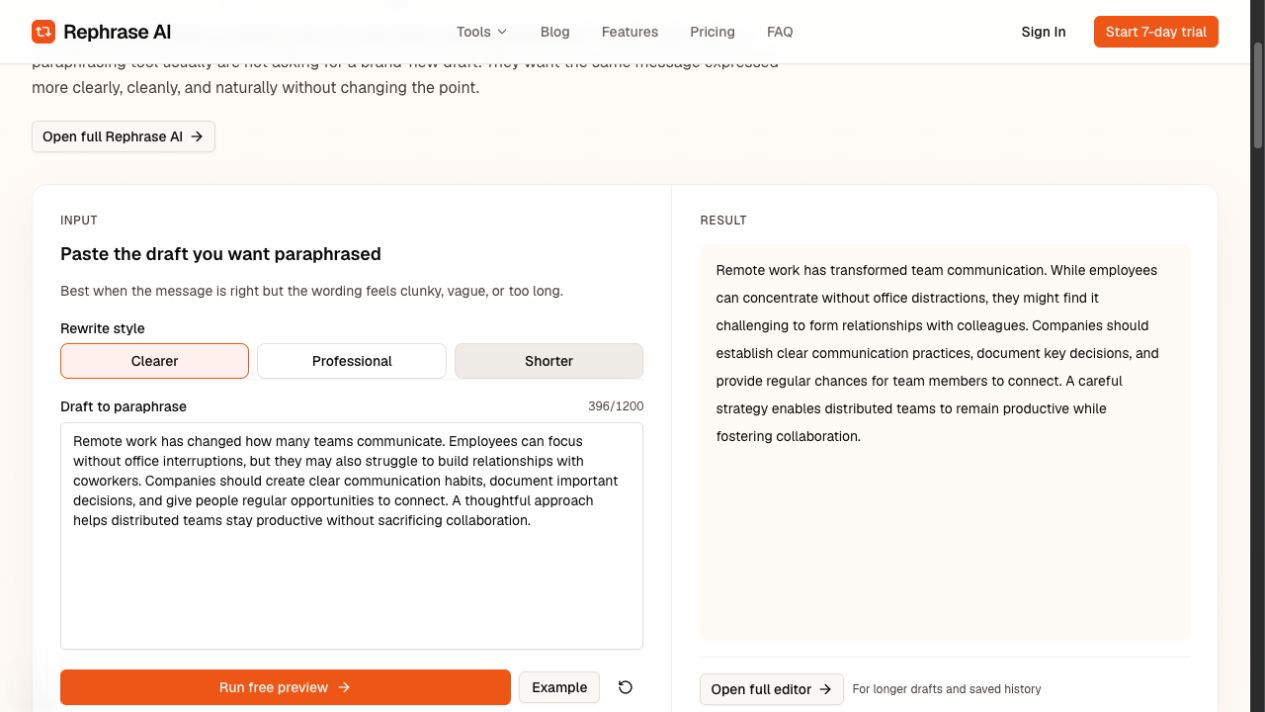
Rephrase AI Clearer benchmark showing the rewritten remote-work passage.
The captured Professional mode was more formal without adding a new claim:
Remote work has transformed communication dynamics within many teams. While employees can concentrate without the distractions of an office environment, they may encounter challenges in fostering relationships with their colleagues. Organizations should establish clear communication practices, document significant decisions, and provide regular opportunities for team members to connect. A strategic approach enables distributed teams to maintain productivity while enhancing collaboration.
QuillBot benchmark result
QuillBot's anonymous Standard result made a substantial rewrite while retaining the central recommendation:
Many teams now communicate differently due to remote work. When there are no office distractions, workers can concentrate, but they can find it difficult to form bonds with their coworkers. Businesses should establish transparent communication practices, record significant decisions, and provide frequent chances for interaction. Distributed teams can maintain productivity without compromising cooperation by taking a deliberate approach.
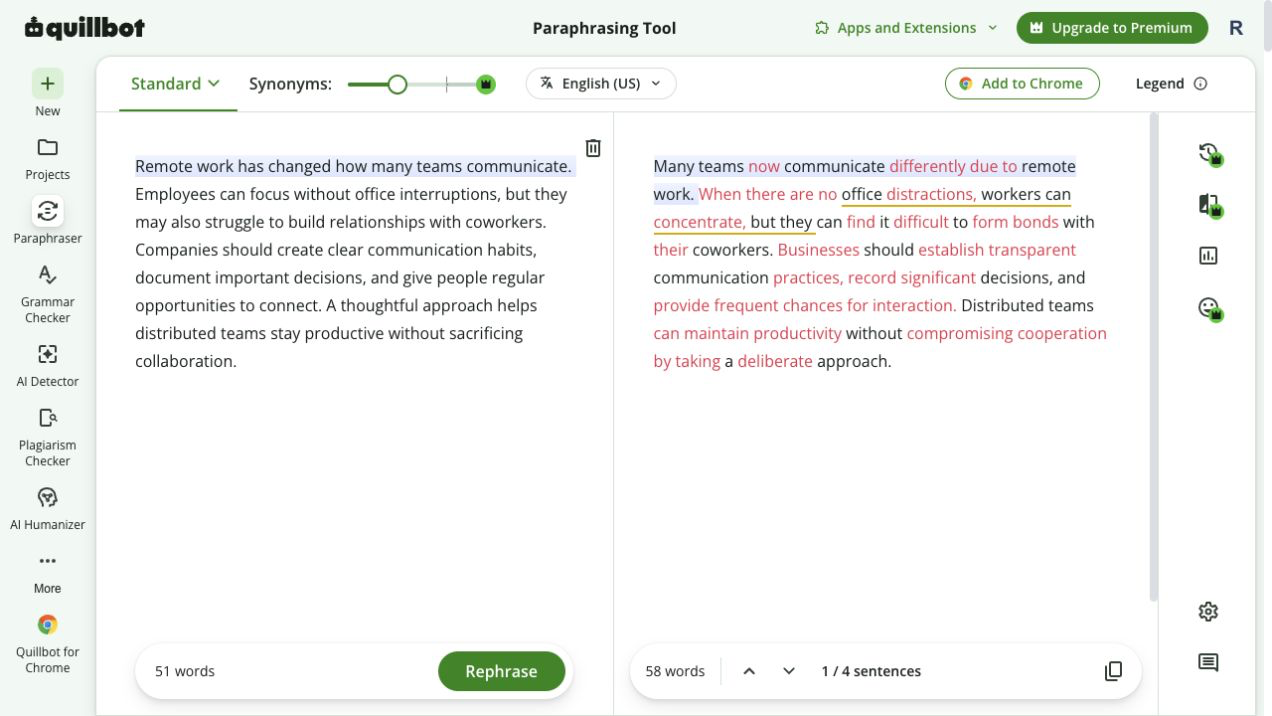
QuillBot Standard benchmark showing the anonymous paraphrase result.
Its captured Fluency result was a lighter rewrite:
Many teams interact differently now that they work remotely. Employes can focus without interruptions in the office, but they may struggle to form relationships with coworkers. Companies should establish clear communication practices, document key decisions, and provide regular opportunity for employees to communicate. A careful approach allows distant teams to be productive while maintaining collaboration.
In that run, “Employes” was misspelled and “regular opportunity” was singular where the source described regular opportunities. The shift from “connect” to “communicate” is also worth reviewing if that relationship-building nuance matters. Those observations describe this captured output, not every QuillBot result.
Output quality and workflow comparison
For this benchmark, Rephrase AI Clearer was the cleaner captured result: it changed the phrasing meaningfully while keeping the passage coherent and free of the two Fluency issues above. That makes it a good starting point when you want a ready-to-review rephrase rather than a collection of controls.
QuillBot's advantage is workflow breadth. The captured anonymous interface exposed Standard and Fluency as free built-in modes and a synonym control. That can be valuable if you already work across its integrations or prefer to choose from an established set of paraphrasing modes. The trade-off is that Rephrase AI's signed-in free allowance is only three standard rephrases per month, whereas the captured QuillBot free tier allowed a 125-word request in either of two free modes.
In either tool, compare the output with the original before using it in a policy, academic submission, client commitment, or other text where a small wording change can matter.
Free limits and pricing
Rephrase AI's public preview accepted up to 1,200 characters per request. Its signed-in Free plan includes three standard rephrases per month.
Rephrase AI Pro costs $29/month, or $17.42/month with annual billing. Billed $209 annually.
QuillBot's captured free-plan display said “Paraphrase up to 125 words” and “Paraphrase in 2 modes.” Its Premium page displayed $8.33 USD per month billed annually when rechecked on August 10, 2026. Check the billing terms before subscribing because pricing can change.
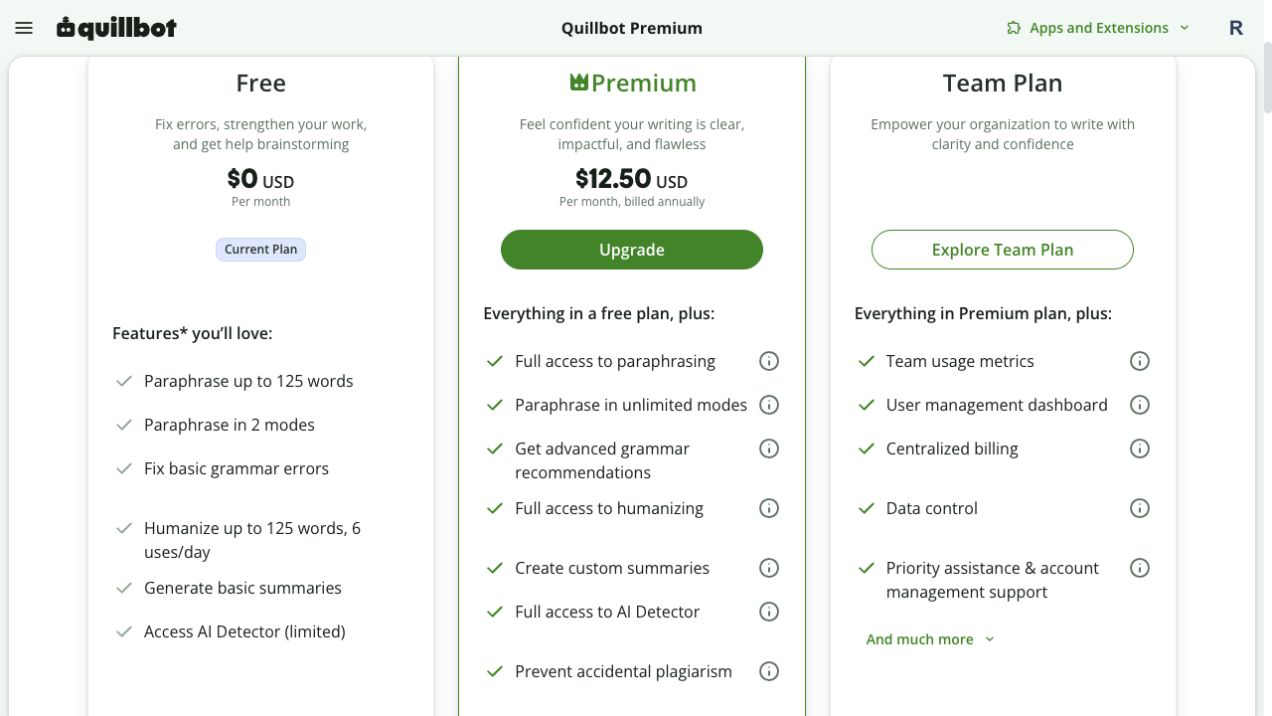
QuillBot free-plan limits showing 125 words and two modes.
Which tool should you choose?
Choose Rephrase AI if you want a focused browser workflow, a 1,200-character public request, and a captured Clearer result that needed less cleanup in this test. It is especially practical when the job is to polish a short message, sentence, or paragraph without first navigating a larger editing suite.
Choose QuillBot if you want anonymous access to two captured free modes, a visible synonym control, or its wider integration and multi-mode workflow. Review output carefully, especially when selecting a mode intended to make a lighter edit.
Pros and cons
Rephrase AI
Pros
- Clearer produced the cleaner captured benchmark result.
- The public preview accepted up to 1,200 characters per request.
- Clearer, Professional, and Shorter give a focused set of rewriting choices.
Cons
- The signed-in Free plan is limited to three standard rephrases per month.
- It has a narrower public style set than QuillBot's multi-mode workflow.
QuillBot
Pros
- The captured free experience offered two modes anonymously.
- The interface exposed a synonym control and supports an established integration-oriented workflow.
- Standard made a substantial rewrite in this run.
Cons
- The captured free request limit was 125 words.
- The Fluency result contained “Employes” and “regular opportunity,” so it needed review in this benchmark.
FAQ
Try a cleaner first pass
Rephrase a short draft, then compare the result with your original to check the meaning, tone, and details before using it.