Rephrase AI vs Wordtune: Which Rewriting Workflow Fits?
Compare Rephrase AI and Wordtune for focused paraphrasing, contextual rewrite alternatives, free limits, pricing, and workflow fit.

Rephrase AI is the better fit when you want a focused short-draft paraphrasing workflow with a small set of clear styles. Wordtune is the better fit when you want sentence or paragraph alternatives, contextual suggestions, and smart synonyms inside a broader revision workflow. The right choice depends on the kind of control and access your draft needs.
Rephrase AI vs Wordtune at a glance
| Decision point | Rephrase AI | Wordtune |
|---|---|---|
| Best fit | Focused paraphrasing of a short draft | Selecting and reshaping sentence or paragraph alternatives |
| Public access | Up to 1,200 characters with Clearer, Professional, and Shorter styles | Rewrite page leads into the Wordtune app workflow |
| Rewrite controls | Clearer, Professional, and Shorter public styles; additional controls after sign-in | Rewrite, Formal, Casual, Shorten, Expand, and smart synonyms |
| Free access | Three standard rephrases per month after sign-in | 10 daily rewrites and AI suggestions |
| Paid boundary | Pro is $29 per month or $17.42 per month billed $209 annually with a seven-day trial | Advanced and Unlimited prices are listed with annual billing |
Methodology
Rephrase AI publishes this comparison and evaluated its own product on August 10, 2026.
This is a self-evaluation based on current official product pages and the cited dated product material. It is a workflow-fit comparison, not a neutral output-quality ranking.
See the public homepage for the current product overview.
Rephrase AI for focused short-draft paraphrasing
The public Rephrase AI Paraphrasing Tool accepts up to 1,200 characters and offers Clearer, Professional, and Shorter styles. It is a direct fit when you already have a sentence, email, or short passage and want a concise revision before your own final edit.
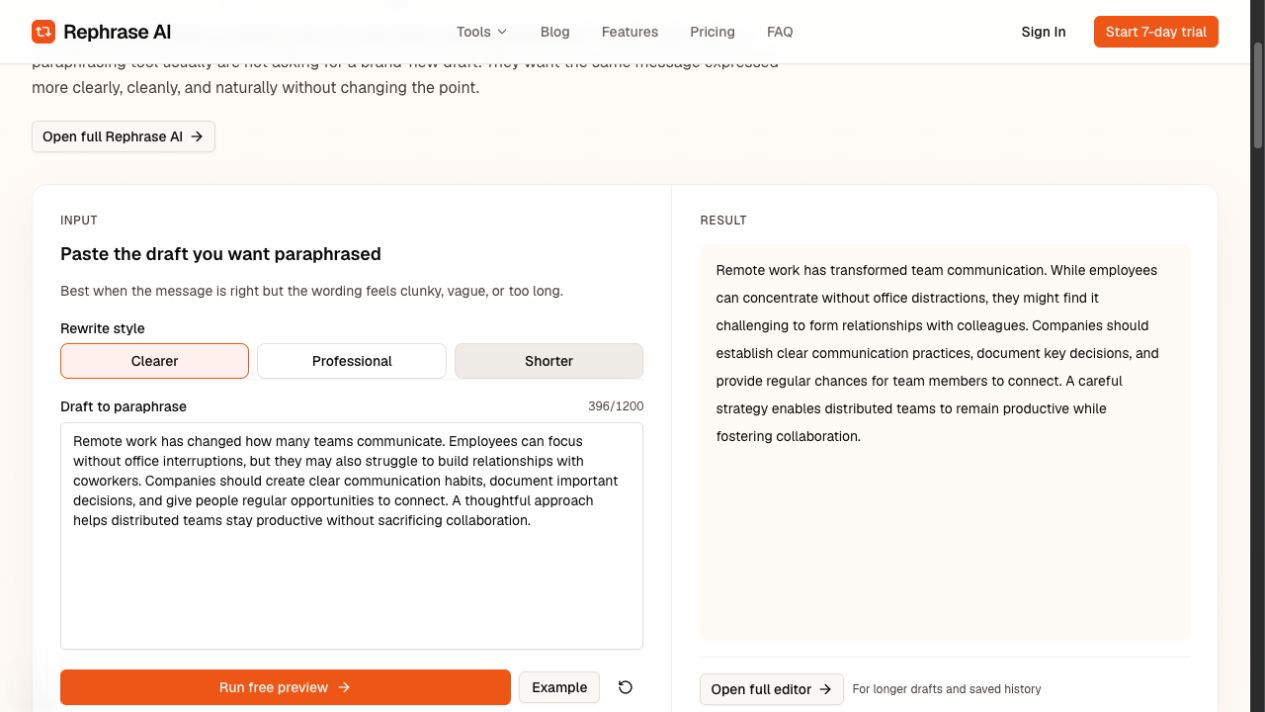
Rephrase AI's public Clearer interface showing a rewritten distributed-team passage.
The signed-in Free plan includes three standard rephrases per month. The pricing information lists Pro at $29 per month or $17.42 per month billed $209 annually, with a seven-day trial. In the protected Rephrase editor, Free supports up to 3,000 characters and Pro supports up to 10,000 characters per request, with additional style profiles, use-case templates, and adjustment controls after sign-in.
Choose Rephrase AI when a focused pass with a few visible styles is more useful than opening a larger alternative-generation workflow. Review the result against the source before using it, especially where names, figures, dates, qualifications, citations, or technical wording matter.
Wordtune for contextual alternatives
Wordtune's Rewrite page presents a workflow for selecting alternative wording. Its editor documentation describes sentence and paragraph alternatives, contextual suggestions, smart synonyms, and eligible custom tone, style, and structure requests through paid Ask AI.
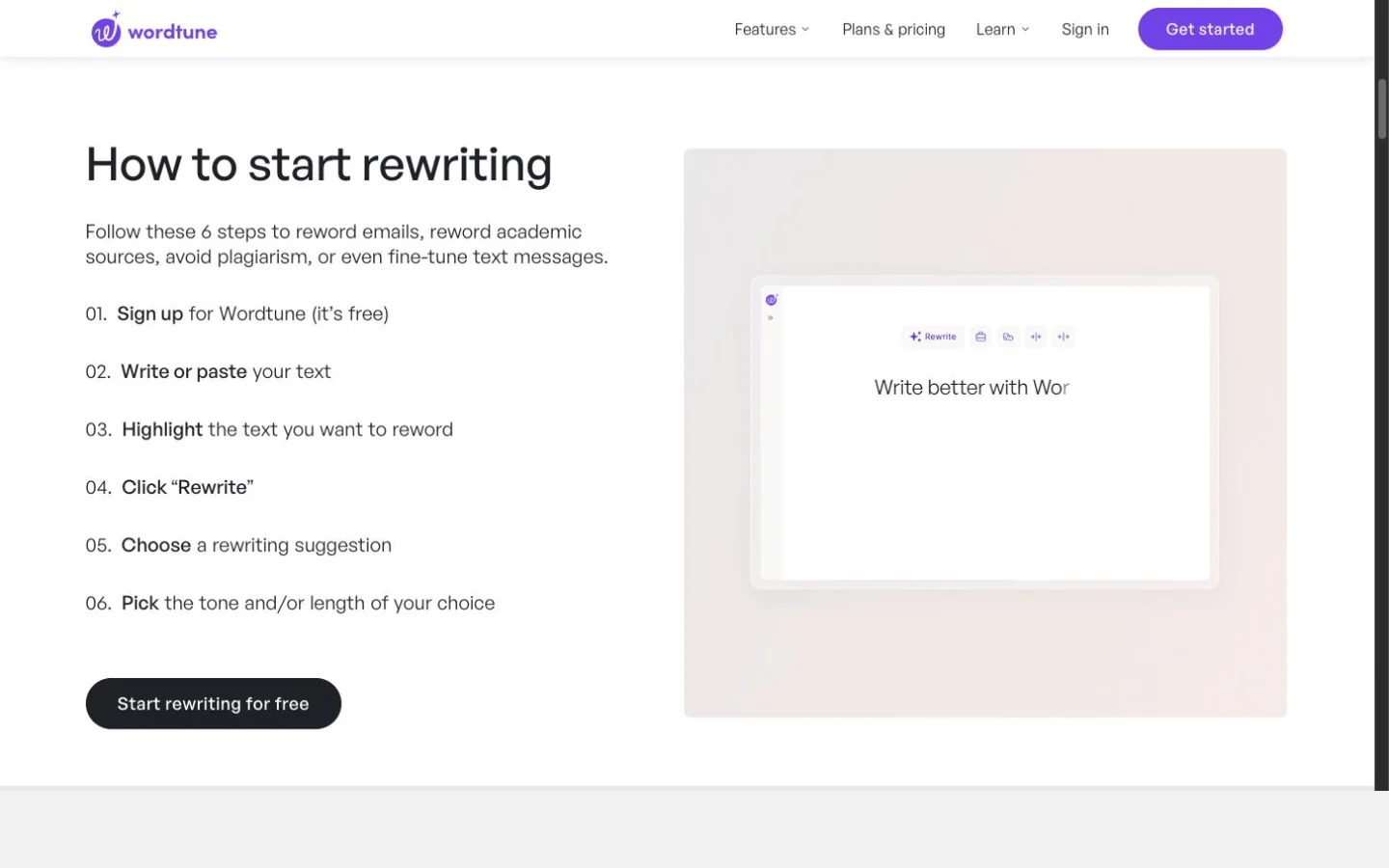
Wordtune's public Rewrite page showing its rewriting workflow.
Wordtune documents paragraph rewriting on all plans and 10 daily AI generations for rewrite and contextual suggestions on Free. Its plans page lists Advanced at $6.99 per month billed annually with 30 daily rewrites, and Unlimited at $9.99 per month billed annually. Keep the daily allowances and annual billing cadence together when comparing the options.
Choose Wordtune when you want to work through alternatives, adjust length or tone, and make more contextual changes to a sentence or paragraph. Its wider control set is useful when the rewrite direction needs exploration rather than a focused first pass.
Which workflow should you choose?
Choose Rephrase AI when you want to start with a short draft and select a clear, professional, or shorter revision direction. Its public tool is a practical first step when you want to keep the decision simple.
Choose Wordtune when you regularly select alternatives in context or need its documented Formal, Casual, Shorten, Expand, and smart-synonym controls. Check the plan allowance before making it part of a high-volume revision workflow.
Neither workflow makes review optional. Compare each revision with the source and retain facts, commitments, names, dates, numbers, qualifications, citations, and technical meaning.
FAQ
Start with a focused rewrite
Try the Rephrase AI paraphrasing tool with a short draft, then compare the revision with your source before sending or publishing it.