Grammarly vs ChatGPT for Rewriting Text
Compare Grammarly and ChatGPT for rewriting by editing feedback, rewrite controls, project context, access, and current workflow limits.

Grammarly is the better fit when you want a rewrite tied to grammar, clarity, and tone feedback. ChatGPT is the better fit when you want to direct a larger revision in natural language and carry instructions across a project after login. This is a workflow recommendation, not a claim that either product always produces better prose.
At a glance
| Product | Best fit |
|---|---|
| Grammarly | Revising text while also reviewing grammar, spelling, punctuation, clarity, and style feedback. |
| ChatGPT | Directing flexible rewrites, structural revisions, and follow-up changes with project context. |
Grammarly: rewrite inside an editing layer
Grammarly's Paraphrasing Tool documents six preset styles and support for English, Spanish, French, German, Portuguese, and Italian through a free account. Its Grammar Checker is useful when the job begins with identifying grammar, spelling, punctuation, clarity, or style issues rather than immediately generating a new paragraph.
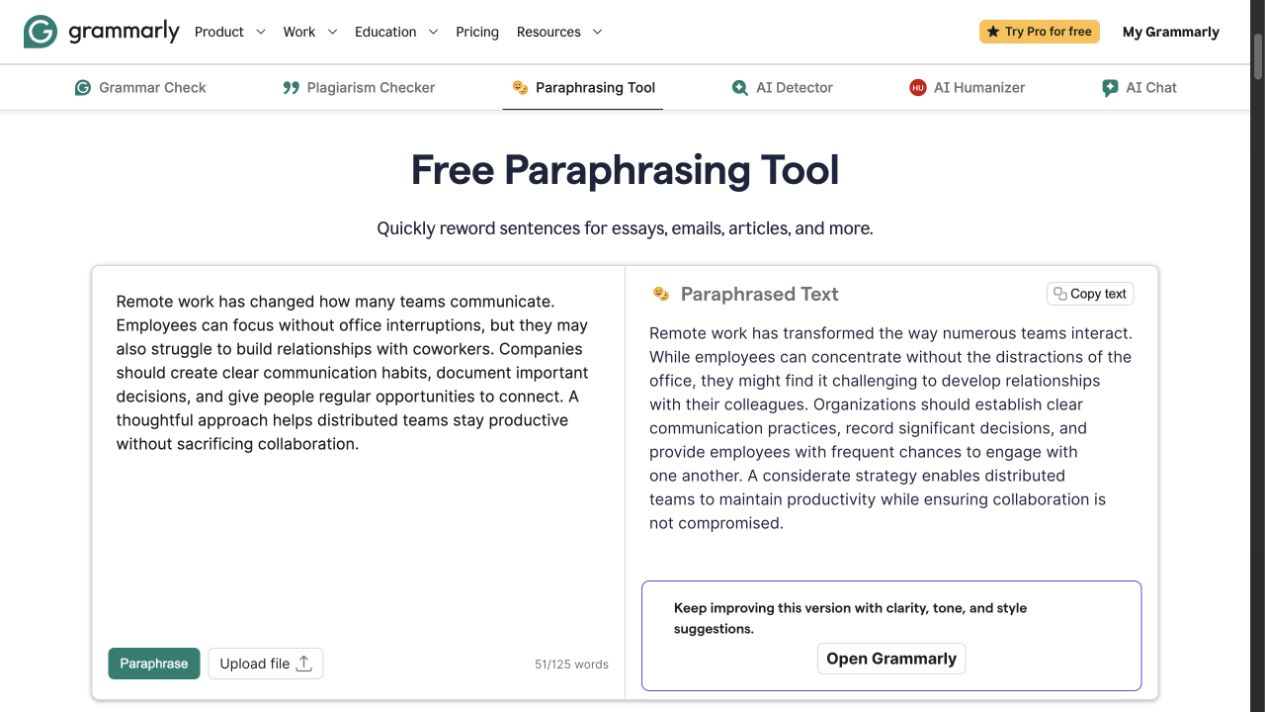
Grammarly's public Paraphrasing Tool showing source and rewritten text side by side.
The paraphraser creates a full-passage alternative, while the grammar checker presents issues for review without requiring the writer to replace the entire paragraph. That distinction matters: a generated rewrite and a set of editing suggestions solve different jobs, and both require contextual review.
Grammarly's Plans page lists Free at $0 with 100 AI prompts a month and Pro at $12 a month billed annually, including full-sentence rewrites, tone adjustment, and 2,000 AI prompts a month. Use its editing-layer approach when you want to inspect and accept suggestions, while checking the current account and plan requirements for the controls you need.
ChatGPT: instruction-led revision and context
ChatGPT approaches rewriting through instructions. You can ask it to preserve facts, change tone, tighten a section, reorder an explanation, or prepare alternatives, then follow up on the same draft. This is useful when the task is larger than a preset rewrite style or when the revision needs a detailed brief.
After login, ChatGPT Projects can group chats, files, and instructions for continuing work. That can reduce repeated context-setting for a recurring document, but it is not a substitute for reviewing names, dates, technical terms, and commitments in each revision.
ChatGPT's open-ended instructions are not equivalent to Grammarly's preset styles and editing signals, so neither workflow alone establishes a prose-quality winner. OpenAI also says message limits depend on the plan and managed-workspace settings; check its current availability and limits guidance for the state of your account.
Which rewrite workflow should you use?
Choose Grammarly when you want an editing surface that combines a rewrite with visible grammar and style feedback. It is especially useful for a draft that needs correction and polish at the same time.
Choose ChatGPT when the revision calls for a specific instruction, a larger structural change, or several rounds of follow-up. It gives you more open-ended control, but the quality of the result depends on the brief you provide and the review you do afterward.
FAQ
Start from the draft you already have
For a focused short-text revision before your final edit, try Rephrase AI's AI rephraser and compare the wording with your original for meaning and tone.