Originality.ai vs GPTZero: Which Flags More AI Text?
Compare Originality.ai and GPTZero by scan limits, usage model, reports, writing-process context, and responsible review boundaries.

No responsible flags-more or accuracy winner is established between Originality.ai and GPTZero. Neither product can prove who wrote a document. Originality.ai is a credit-metered workflow that combines scans with writing-process reporting; GPTZero offers an anonymous public detector plus highlighting, reports, writing replay, and integrations. Choose by review context, not by treating a percentage as authorship ground truth.
Apply the same criteria to both products: access and usage model, input boundaries, review surfaces, writing-process context, and the human or policy review that follows a result.
Originality.ai vs GPTZero at a glance
| Decision point | Originality.ai | GPTZero |
|---|---|---|
| Access and usage | Credit-metered AI and combined AI/plagiarism scans | Anonymous public detector with plan-based reporting and overages |
| Input boundary | AI detection scans up to 10,000 words | Anonymous detector accepts 250 to 10,000 characters |
| Review surfaces | AI and plagiarism scans, writing replay, contributor and paste activity, shareable reports | Percentage results, phrase highlighting, paid reports, and writing replay |
| Connected workflow | Browser extension with writing replay and activity context | Chrome, Google Docs, education, automation, and API integrations |
| Best fit | Credit-based review with document-history context | Public screening with connected review features |
The input limits use different units and access states. A 10,000-word signed-in scan maximum and a 10,000-character anonymous-page maximum are not equivalent measures of capacity.
Originality.ai for credit-based scans and process context
Originality.ai's credit guidance says an AI-only check uses one credit per 100 words. A combined AI and plagiarism check uses one credit per 50 words. The same guide documents a 10,000-word maximum for an AI-detection scan. Keep the scan type and credit unit together when estimating usage.
Its Chrome extension guide describes AI and plagiarism scanning, writing replay, contributor and paste activity, and shareable read-only reports. Those process surfaces can help a reviewer ask better questions than a detector score alone, especially when document history matters.
The same official guide says no AI detector is 100% accurate and calls for human judgment. Writing replay or paste activity can add context, but neither one automatically establishes who wrote a passage or whether its use complied with a particular policy.
Choose Originality.ai when a credit-based review workflow and process-oriented document reporting match the task. Keep AI detection separate from plagiarism review: the combined scan consumes credits differently because the two checks answer different questions.
GPTZero for public screening and connected review
GPTZero's public detector displays a 10,000-character anonymous maximum and a 250-character minimum. It also documents percentage results, phrase highlighting, downloadable reports on paid plans, and writing replay as distinct review surfaces.
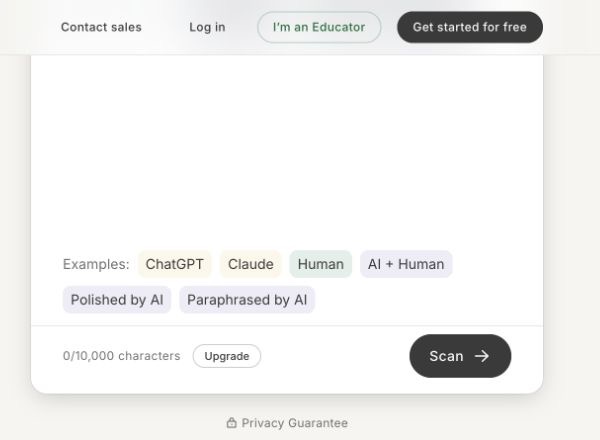
GPTZero's public detector interface showing the text area, input boundary, and Scan button.
GPTZero lists Chrome, Google Docs, Google Classroom, Canvas, Zapier, and API integrations. That makes it a practical fit when an initial public scan needs to connect to a broader educational, document, or automation workflow.
GPTZero also says no AI detector is 100% accurate, results should not be used as a final verdict, and longer English prose provides a stronger basis for review than short text. Its overage guidance says plan overages are billed per word and capped before an upgrade is required, so recurring users should check current plan terms before scanning at scale.
Choose GPTZero when anonymous public access, phrase-level review, writing replay, or its listed integrations fit the review process. None of those features turns a detector percentage into proof.
How to review either result responsibly
Start with the detector result as a question, not a conclusion. Review the source material, factual accuracy, citations, version or drafting history, the writer's explanation, and the policy that applies. In a school or workplace, follow the established process before making a consequential decision.
Do not interpret a high score as proof of AI authorship or misconduct. Do not interpret a low score as proof of originality, policy compliance, or exclusively human authorship. Different proprietary detectors can produce different signals, and those differences do not reveal which system is correct for a particular document.
Originality.ai is the clearer fit for a credit-based workflow with browser and document-process reporting. GPTZero is the clearer fit for an anonymous public starting point and connected review features. The responsible choice depends on the context you can gather after the scan.
FAQ
Use a separate signal, then review the context
For another non-conclusive screen on text you are responsible for reviewing, try Rephrase AI's AI detector, then examine sources, drafting context, and the relevant policy before acting.