Rephrase AI vs Paraphrasing-Tool.com: Which Tool Is Better?
Compare Rephrase AI and Paraphrasing-Tool.com on benchmark output, meaning preservation, no-signup free use, input limits, modes, and workflow fit.

Rephrase AI is the better choice in this benchmark when output quality and controlled wording are the priority. Paraphrasing-Tool.com is the better choice for an unlimited, no-signup way to rework short text for free. Its Standard result exactly matched the observed Scribbr Standard output; Fluency did not. Output similarity alone does not show what backend any tool uses.
Rephrase AI vs Paraphrasing-Tool.com at a glance
| Decision factor | Rephrase AI | Paraphrasing-Tool.com |
|---|---|---|
| Best for | Controlled clarity or professional tone | Repeated, free short-text rewrites without signup |
| Captured public input limit | 1,200 characters | 250 words |
| Free access | Public preview; signed-in Free has 3 standard rephrases/month | Advertised as 100% free, no signup, and unlimited daily paraphrases |
| Modes | Three displayed rewrite styles | Standard and Fluency, with a displayed synonym control |
| Paid pricing | $29/month, or $17.42/month with annual billing. Billed $209 annually | No paid price captured |
Rephrase AI prices reflect current plans. Competitor prices in the table were captured on August 10, 2026.
How we tested
Rephrase AI publishes this comparison. On August 10, 2026, we ran the same 51-word remote-work passage through Rephrase AI's public workflow and Paraphrasing-Tool.com's anonymous public tool. The selected modes were Clearer and Professional for Rephrase AI, and Standard and Fluency in English (US) for Paraphrasing-Tool.com, with its displayed synonym control.
We assessed whether key ideas remained, how much the wording changed, grammar and naturalness, access friction, limits, and pricing. This is a dated one-run observation, not a guarantee about either product's future results. The preserved outputs make the basis for the recommendation visible.
Rephrase AI benchmark result
Rephrase AI's Clearer result stayed close to the original while smoothing the wording:
Remote work has transformed team communication. While employees can concentrate without office distractions, they might find it challenging to form relationships with colleagues. Companies should establish clear communication practices, document key decisions, and provide regular chances for team members to connect. A careful strategy enables distributed teams to remain productive while fostering collaboration.
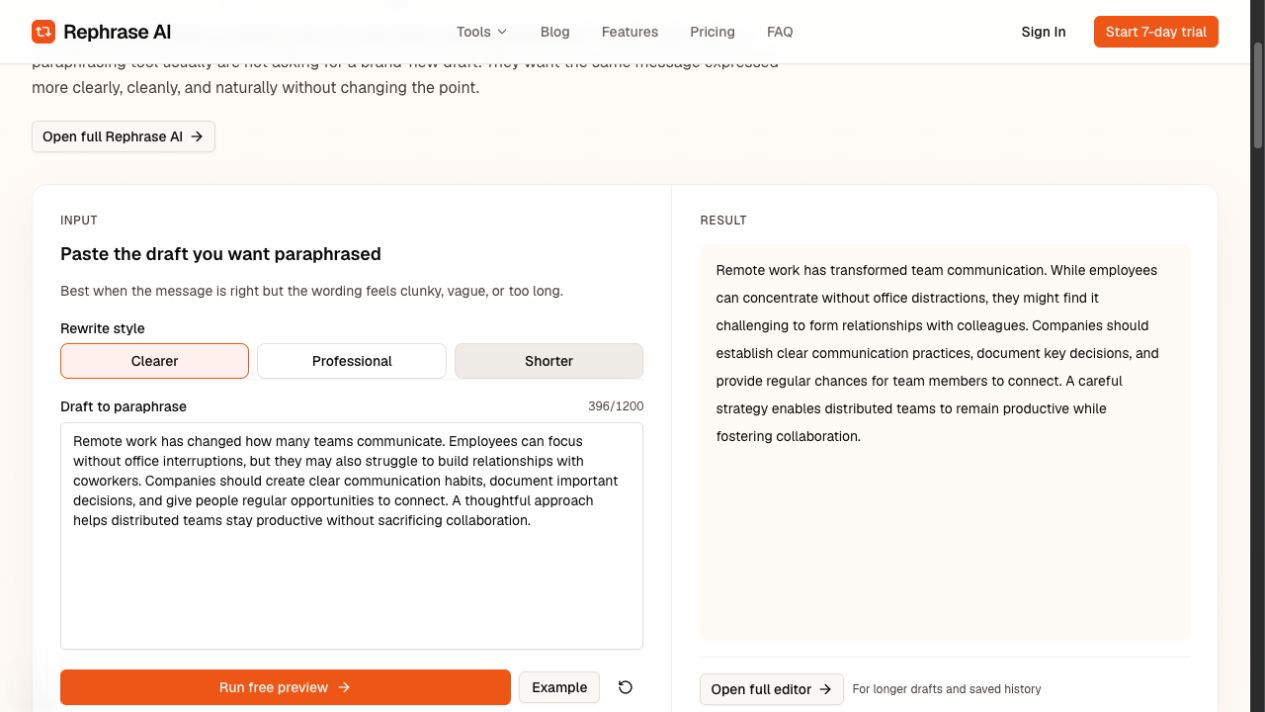
Rephrase AI Clearer benchmark showing the rewritten remote-work passage.
Its Professional result was more formal but still recognizably close to the source:
Remote work has transformed communication dynamics within many teams. While employees can concentrate without the distractions of an office environment, they may encounter challenges in fostering relationships with their colleagues. Organizations should establish clear communication practices, document significant decisions, and provide regular opportunities for team members to connect. A strategic approach enables distributed teams to maintain productivity while enhancing collaboration.
Paraphrasing-Tool.com benchmark result
The anonymous Standard result was:
Many teams now communicate differently as a result of remote work. Without office distractions, workers can concentrate, but they might find it difficult to form bonds with their coworkers. Businesses should establish transparent communication practices, record significant decisions, and provide frequent chances for interaction. Distributed teams can maintain productivity without compromising teamwork by taking a deliberate approach.
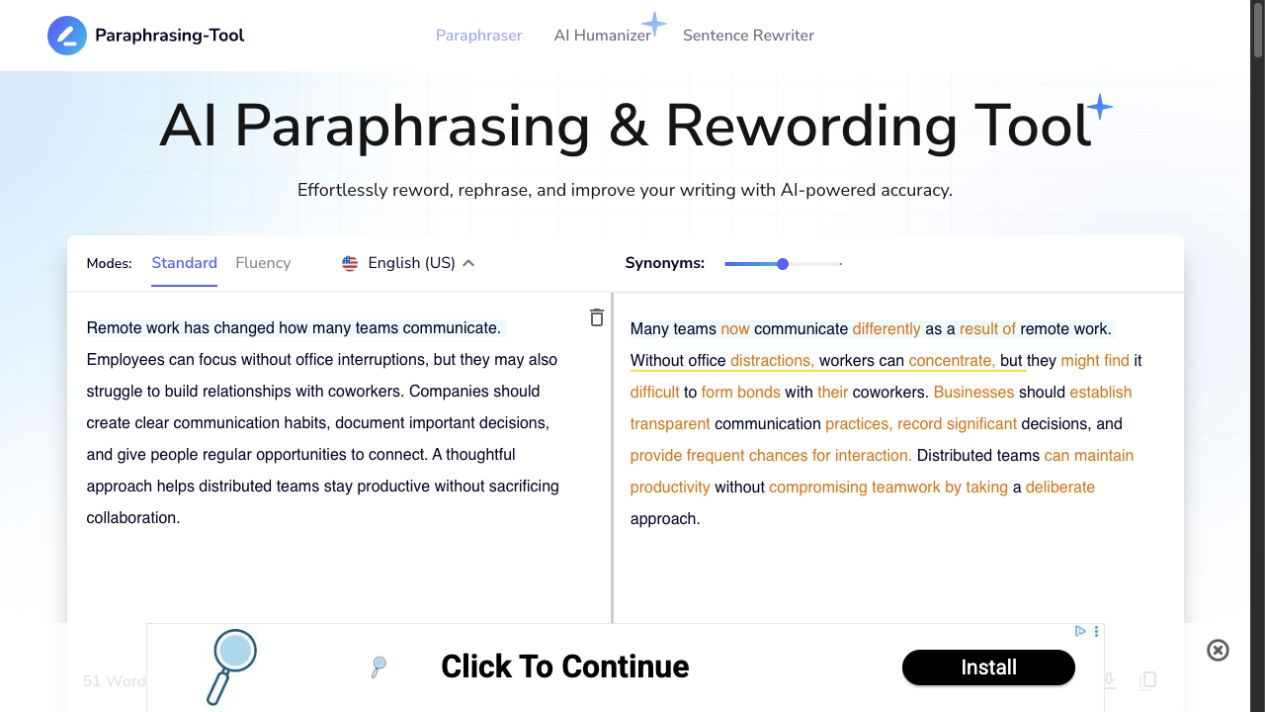
Paraphrasing-Tool.com Standard benchmark result in the anonymous public tool.
Fluency returned:
Remote employment has altered the way many teams communicate. Employes can focus without office distractions, yet they may struggle to form relationships with coworkers. Companies should establish clear communication practices, document key decisions, and provide regular opportunity for people to connect. A careful approach enables distant teams to remain productive without compromising collaboration.
The captured Standard wording exactly matched Scribbr Standard. Fluency otherwise followed Scribbr Fluency's wording, but Paraphrasing-Tool.com's capture spelled “Employes” where Scribbr showed “Employees,” so those Fluency outputs were not exact matches. Neither Paraphrasing-Tool.com mode exactly matched the separately captured QuillBot mode. Similar output is not evidence of a shared or undisclosed backend.
Output quality and workflow comparison
Both tools returned complete paraphrases in the captured run. Rephrase AI is the better fit for a professional writer who wants a controlled revision: Clearer retains the source structure and Professional provides a deliberate formal option. That makes it easier to compare the rewrite against the original before sending it.
Paraphrasing-Tool.com Standard made a broader vocabulary and structure change, which can be useful when you want more distance from the source phrasing. Fluency was more conservative, but it misspelled “Employees” as “Employes” and changed “regular opportunities” to singular “regular opportunity.” Those are quality issues worth catching in review, not a reason to assume every Fluency result will have the same problems.
The competitor's practical advantage is friction: the official tool says it can paraphrase up to 250 words at a time with no sign-up and no daily limit on free paraphrases. Rephrase AI's trade-off is that its signed-in Free plan has three standard rephrases per month. Its public preview is also limited to 1,200 characters, although that is a different limit from the signed-in plan allowance.
Paraphrasing-Tool.com's terms identify the service as a Learneo, Inc. service. That identifies the operator from its own terms; it does not establish the model or backend behind the matching outputs.
Free limits and pricing
Rephrase AI's public preview is capped at 1,200 characters per request. The signed-in Free plan includes three standard rephrases per month.
Rephrase AI Pro costs $29/month, or $17.42/month with annual billing. Billed $209 annually.
Paraphrasing-Tool.com's official page states a 250-word limit per input, Standard and Fluency modes, and a synonym slider. It presents the tool as 100% free with no signup and says users can conduct an unlimited number of paraphrases. No paid plan price was captured for this comparison.
Which tool should you choose?
Choose Rephrase AI if a reviewer needs to preserve a professional message closely, select a clearer or professional direction, and compare the output against the source. Use the public paraphrasing tool for a like-for-like short-text test, then check every fact and commitment yourself.
Choose Paraphrasing-Tool.com if your top priority is no-signup, unlimited daily rewrites of passages up to 250 words. It is especially practical for repeated short drafts, as long as you are prepared to catch wording such as Fluency's “Employes” and singular “regular opportunity.”
Pros and cons
Rephrase AI
Pros
- Clearer and Professional offer controlled directions for the same message.
- The captured outputs were complete, grammatical, and easy to compare with the source.
- It is well suited to a professional rewrite that still needs human review.
Cons
- The public preview has a 1,200-character cap.
- Signed-in Free access includes only three standard rephrases per month.
- It does not match the competitor's unlimited, no-signup daily workflow.
Paraphrasing-Tool.com
Pros
- Its official page advertises 250 words per input, 100% free use, no signup, and unlimited paraphrases.
- Standard and Fluency give anonymous users two distinct paths.
- The displayed synonym control gives users a visible rewrite-strength adjustment.
Cons
- The 250-word cap may be less convenient for longer passages.
- Fluency introduced “Employes” and singular “regular opportunity” in the captured output.
- A broader rewrite can require closer source comparison for professional or high-stakes text.
FAQ
Try a clearer version of your draft
Rephrase a short draft, then compare the result with your original to check the meaning, tone, and details before using it.