QuillBot vs Grammarly: Which Rewrites Better?
Compare QuillBot and Grammarly for paraphrasing, grammar review, modes, free limits, and plan-dependent workflows.

QuillBot is the better fit when you want a dedicated paraphrasing workflow with mode and synonym controls. Grammarly is the better fit when a rewrite should sit alongside grammar, punctuation, clarity, and style review. Neither workflow guarantees better prose for every passage, so compare the revision with the original before choosing.
The comparison uses the same criteria for both products: primary rewriting workflow, rewrite controls, free limits, languages, and current plan details.
QuillBot vs Grammarly at a glance
| Decision point | QuillBot | Grammarly |
|---|---|---|
| Primary workflow | Dedicated paraphrasing with modes and synonym control | Paraphrasing plus grammar, punctuation, clarity, and style review |
| Rewrite controls | Modes, synonym control, and side-by-side paraphrasing | Preset paraphraser styles plus a separate grammar and style review |
| Free constraint | Up to 125 words in Standard and Fluency | Free-account paraphraser access and prompt limits vary by feature |
| Best fit | Choosing a paraphrasing mode for a passage | Revising a passage inside a broader editing process |
QuillBot for dedicated paraphrasing
QuillBot's paraphrasing tool is where those mode and synonym controls are applied. Its Premium page says the Free plan allows up to 125 words in Standard and Fluency modes. Its current Premium offering lists unlimited paraphrasing, nine built-in modes, custom modes, mode comparison, history, synonym control, and 23 languages. The same page currently displays Premium at $8.33 per month when billed annually; confirm the billing terms before subscribing.
The side-by-side editor makes it practical to compare a passage with its paraphrase and adjust the approach. The 125-word Free limit is material for longer sections, while Premium removes that cap and adds more modes.
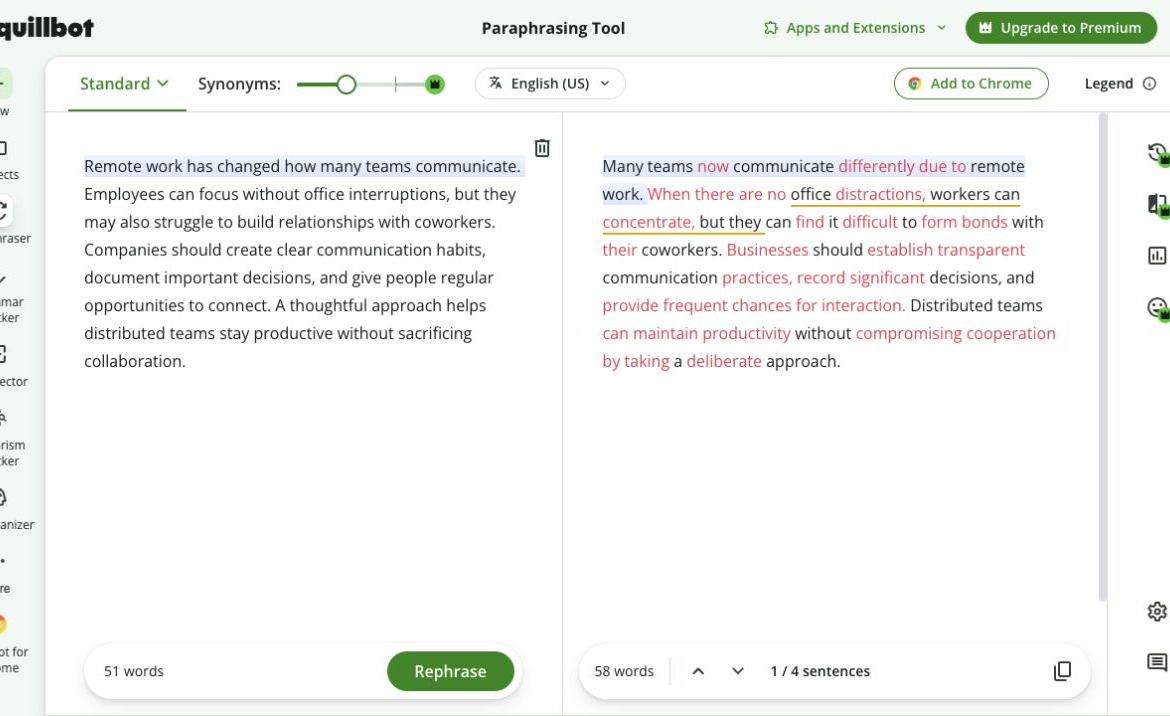
QuillBot's paraphrasing interface showing source and rewritten text side by side.
QuillBot is most useful when choosing among paraphrasing approaches is the job. It is not a substitute for checking whether a rewritten term changes a policy, legal commitment, academic claim, or technical meaning.
Grammarly for rewriting plus review
Grammarly documents six preset Paraphraser styles and six supported languages through a free account. Its public grammar checker also reports grammar, spelling, punctuation, clarity, and style issues without a purchase. Those are different workflows: a full paraphrase and a set of editing suggestions should not be treated as interchangeable tasks.
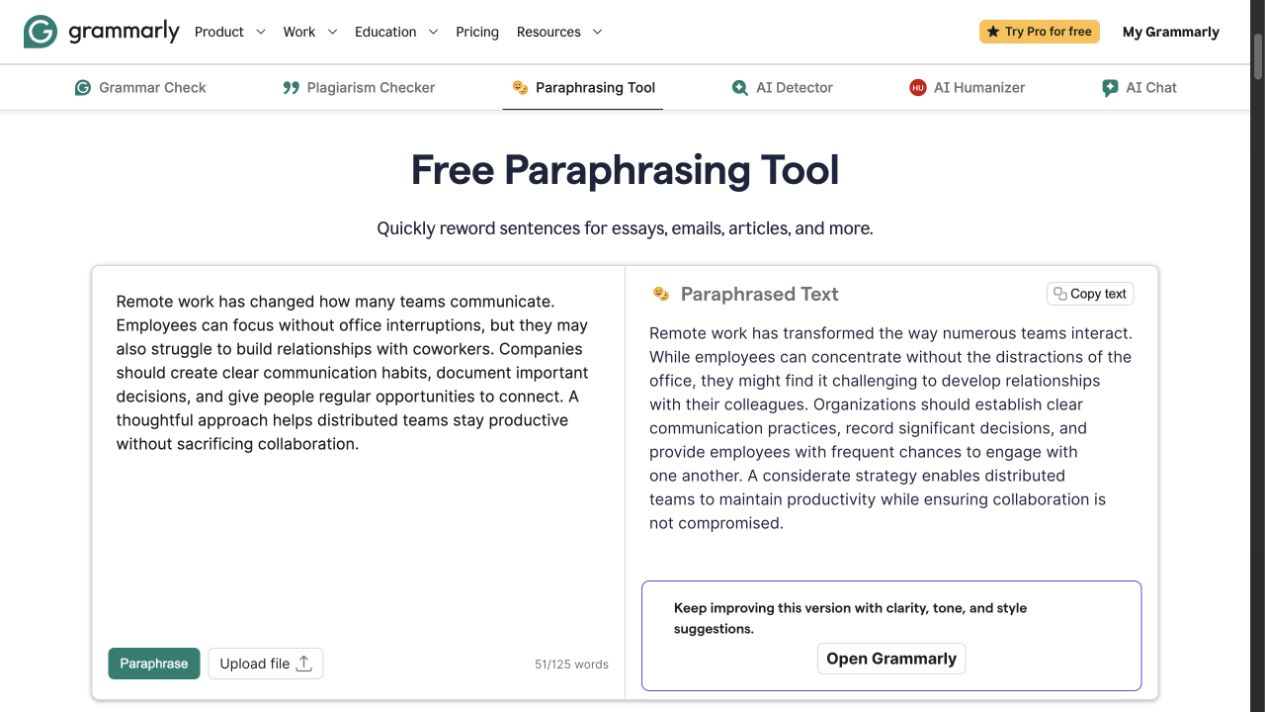
Grammarly's public Paraphrasing Tool showing source and rewritten text side by side.
Grammarly's plans page lists Free at $0 with 100 AI prompts per month and Pro at $12 per month billed annually with full-sentence rewrites, tone adjustment, and 2,000 AI prompts per month. A writer who needs both paraphrasing and issue-by-issue review should compare the current account controls before committing to a plan.
Which should you choose?
Choose QuillBot when you are primarily paraphrasing a passage and want to select modes or adjust synonym choices. Its free word cap is material if you work with longer passages.
Choose Grammarly when the rewrite is one part of a larger editing pass and you also want grammar, spelling, punctuation, clarity, or style signals. Do not mistake a suggestion count for proof that every suggested change is correct.
Whichever tool you use, compare the revision with the original. Preserve names, dates, numbers, citations, conditions, and the level of certainty the writer intended.
FAQ
Start with a focused rewrite
For a short passage that needs a fresh, meaning-preserving version before a larger editing pass, try Rephrase AI and compare the wording with the original.